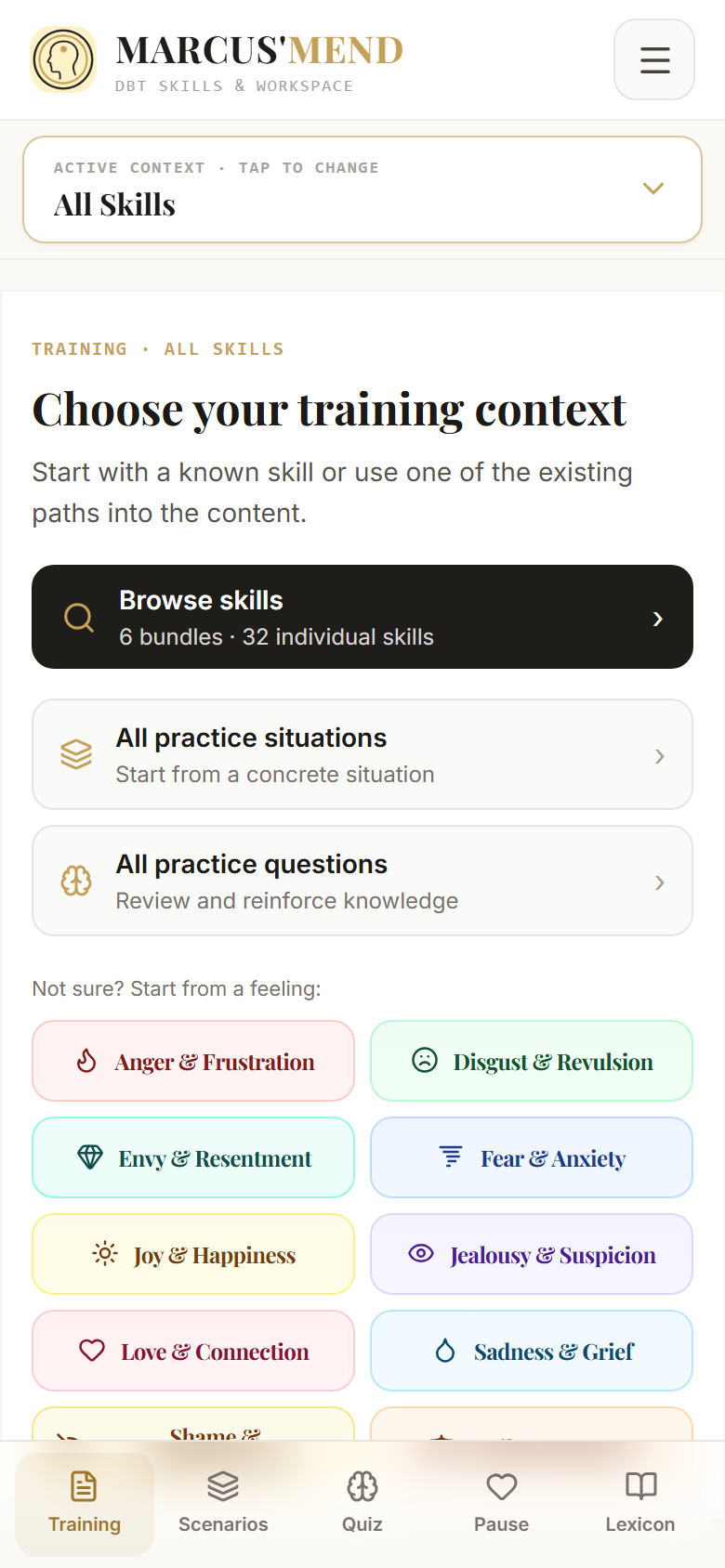
Orient.
Find an entry point through a skill or a feeling.
Discover orientation →

The right words don’t always come easily. Marcus’Mend supports you in practicing skills from Dialectical Behavior Therapy (DBT) in your everyday life. Step by step. At your own pace.
Learning and practice tool. Not a substitute for diagnosis, therapy, or crisis care.
From getting started to practicing in daily life: Discover how the app guides you in learning and applying DBT skills.
Find orientation, work on your own words, and deepen your understanding. Three insights show you how to begin with Marcus’Mend.
Find an entry point through a skill or a feeling.
Discover orientation →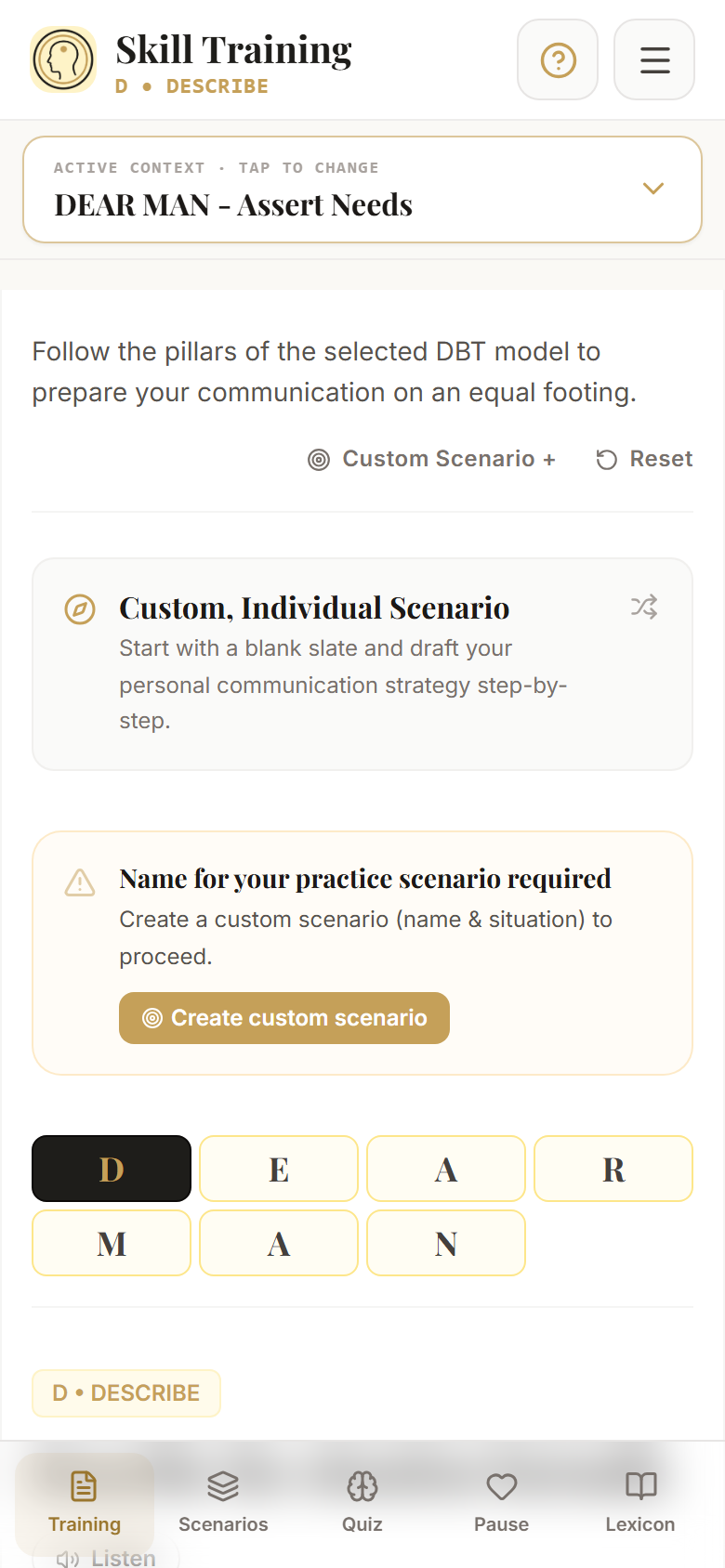
Work through a skill in manageable steps.
Explore training →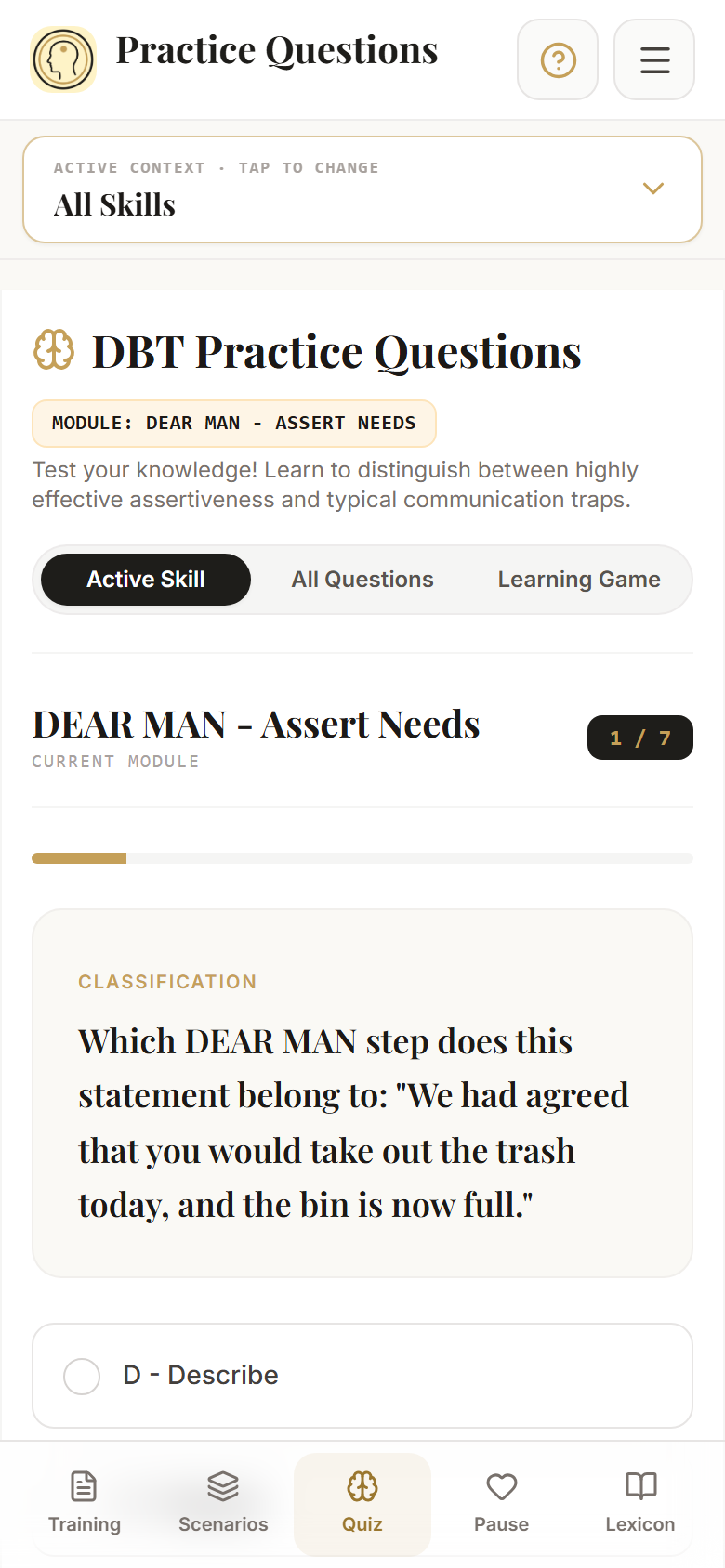
Test your knowledge and discover the explanation behind it.
View learning tools →Original app views. Screenshots are not an interactive demo; examples are not user testimonials.
Expressing a concern, setting a boundary, or staying on topic during a conflict: Step-by-step guidance gives your preparation structure.
Start with a relevant practical example. Consider which statement you want to prepare, and phrase the individual steps in your own words. Read through the result yourself afterwards. You decide what actually fits your conversation; the app does not know the people involved or the context.
You’ve read about a skill or learned it in a skills group. Now you want to try out in a concrete situation what it means in your own words.
Choose a manageable focus. Work through a skill, read an explanation, and return to your result later. You don’t need to use all sections on every visit. Favorites and local scripts make it easy to build on something familiar.
Work through an example at your own pace. You can copy your finished script or take it with you via the print function to discuss during your therapy if needed.
Use the tool for independent practice and decide for yourself whether you want to discuss a script. A printed text can show the wording you developed. It is not an automatically generated report on your health progress.
Combine looking up and trying out: Read an explanation, work through an example, and test in the quiz how you assess the situation. You don’t need to memorize specialized terms.
Look at a practical example first. Look up unfamiliar terms in the glossary. The app offers multiple entry points; you can select a skill directly or explore the feeling compass. You don’t need to disclose anything about your personal situation on this website.
A colleague asks you for an additional task on short notice. You want to formulate a clear boundary.
With DEAR MAN, you practice describing a situation, expressing your concern, and asking for what you need clearly. Marcus’Mend provides writing prompts and examples. You choose your words.
How training supports you ↓“You asked me for an additional task today. My planned tasks already fill the day. I cannot take on the new task today. Let’s clarify which task takes priority.”
Fictional, abbreviated example. Not a user testimonial, no guaranteed outcome, and not the complete DEAR MAN training.
You don’t need a big plan to start. Begin where you currently have a question, and continue at your own pace.
Start via the feeling compass or choose a skill and practical example directly.
Work through the steps. Use sample formulations as a starting point and adapt them to your situation.
Quiz questions and the glossary help you follow terminology and typical nuances.
Complete your script, review it later, or copy and print it. Additional features can be enabled in options.
Skills for awareness, coping with distress, and interpersonal relationships — paired with concrete practice paths.
38 DBT competencies: six skill bundles and 32 individual skills. Plus practice scenarios, quiz questions, Mindful Pause, feeling compass, and a reference glossary. You can find the detailed manual further below; a quick start guide is in the app under “About the App”.
Observe, describe, and consciously focus your attention.
Learn and practice skills for dealing with stressful and overwhelming moments.
Examine feelings more closely and work through actionable coping strategies.
Prepare requests, boundaries, and relationship management in your own words.
Sometimes you already know the skill you want to work with. Other times, you only know how you are currently feeling. Marcus’Mend provides an entry point for both starting positions: Choose a skill directly or explore suitable practice areas via the feeling compass.
This way, you don’t need to browse through the entire library just to get started. The training start brings the different entry paths together on a shared interface.
The feeling compass links emotions and descriptions with practice areas. It is not an examination and does not make a diagnosis. Suggestions following a mood check-in do not replace a personal professional evaluation. You decide whether to explore a suggestion or choose another starting point.
The script builder breaks down the exercise into manageable steps. For each step, you will find an explanation and suggestions for your formulation. You can start with an example and edit it to describe your own situation.
With an interpersonal skill, for instance, you will have a prepared request at the end. With other skills, you work through the exercise steps associated with that competency. Content, wording, and decisions remain entirely up to you.
A sample formulation is a template, not a personal recommendation. Adopt only what truly fits, and adapt the rest. Checklists pertain to the respective exercise step. They do not certify a therapeutically correct decision or conversation success. Source citations and links to the glossary support further reading.
A concrete scenario often clarifies what a skill is intended for. In the scenarios section, you will find prepared everyday situations and can search through them. A selected example can be loaded directly into training.
If you want to capture your own starting situation, you can create a custom scenario. This turns a general template into your personal practice case. This feature can be enabled in options when desired.
The scenario describes the starting situation of your exercise. The completed script records what you formulated in response. This separation helps you revisit a case later without confusing the earlier outcome with the scenario description. Custom scenarios are saved locally and included in the full JSON backup.
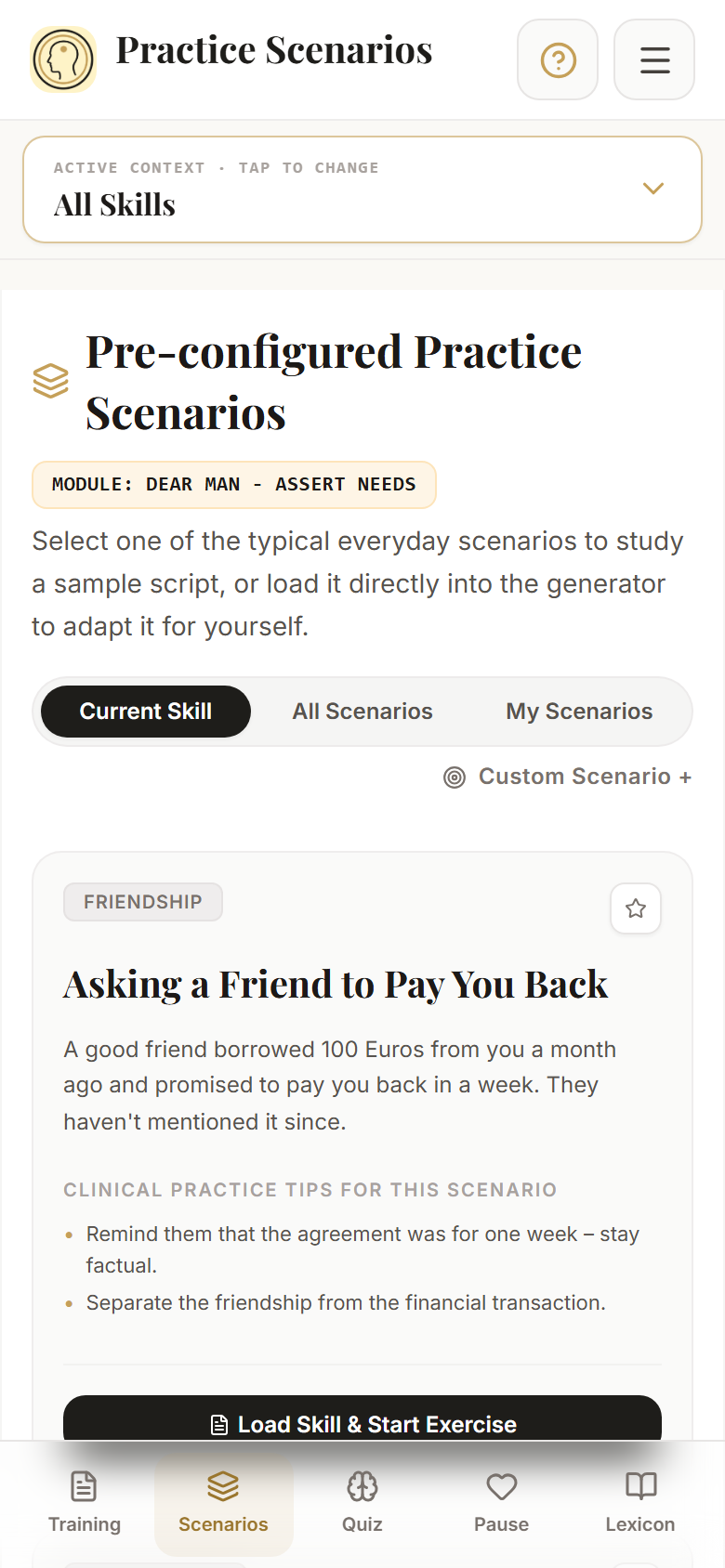
In the skill quiz, you receive reasoned feedback on your answers. Work through questions on the current skill or mix different topics. The learning game complements this with matching terms and definitions.
The glossary explains selected DBT terms, linking definition, background, and practice context. Source citations show where content is anchored. You move between looking up and applying without turning it into an exam situation.
In the quiz, points and ranks reflect correct answers to learning questions inside the app. They do not measure your mental health, the course of therapy, or your ability to handle difficult situations in real life. The explanation behind an answer is therefore far more valuable than a high score.
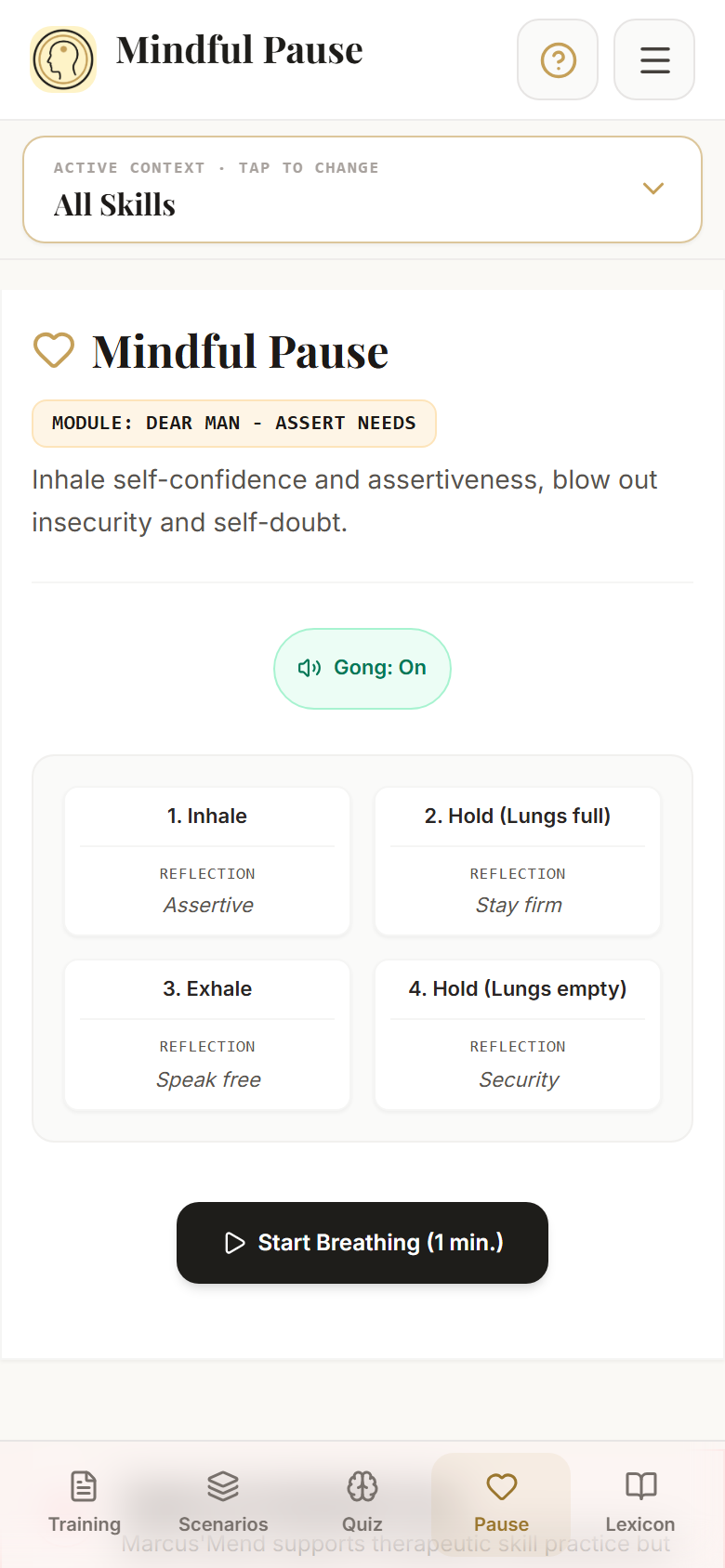
The Mindful Pause complements your training with a guided breathing sequence featuring visual guidance and optional sound cues. You can use it as a short standalone exercise. There is no requirement to combine all areas.
If you prefer listening to step instructions, a text-to-speech feature is available. It reads the title and explanation of the current step aloud. Available voices depend on your device and browser.
The speech feature does not read your entire finished script aloud. Voice options and offline availability may vary across devices. The pause is an optional practice feature, not a guarantee of a specific effect. The app does not replace an individual assessment of whether an exercise is right for you.
Your current draft is stored locally. Completed scripts appear in your personal history, referred to in the app as Manifests. You can revisit previous formulations and bookmark favorites as long as your local data remains intact.
Copy and print functions are available to take your wording with you; supported devices also allow PDF export via the print dialog. Certain additional functions can be activated in options. There is no automatic cross-device sync.
Local storage is not a full data backup. Clearing browser or app data may result in lost content.
The JSON export backs up your current draft, saved scripts, custom scenarios, favorites, points, mood log, and saved settings. On Android, the export file is passed through the native share sheet. You decide where exported files are saved or with whom they are shared.
Revisit completed scripts in your history.
Save frequently used skills and scenarios.
Copy a formulation or take a printed copy along.
Functional overview, not a screenshot of the app.
Develop your own words and decide for yourself whether to bring your script along. Such wording shows what you worked on and can serve as a starting point for your questions.
An inspected example shows how the tool is built. Step-by-step guidance, wording, and sources can be reviewed. Which exercise makes sense individually is not decided by this website.
Marcus’Mend does not offer a therapist portal, shared patient records, or automated progress reports for professionals. A printed script is a self-drafted text, not an automated assessment of a health situation. The website does not claim endorsement by professional bodies or institutions.
A personal practice space requires reliable content and clear boundaries. The same applies to how your work is stored.
Your workspace data is stored on your device. There is no automatic cloud synchronization. If browser or app data is cleared, content may be lost. Exported files reside wherever you save or send them.
The app cites sources for its DBT content, including works by Marsha M. Linehan and the DBT Skills Workbook by Matthew McKay and co-authors. This origin is not proof of clinical efficacy of the app.
Marcus’Mend supports learning and practicing skills. The app does not provide diagnosis, therapy, or crisis care. In an acute crisis, please contact local professional emergency services.
Automatic local storage does not replace a separate backup file. Using Export, you can create a full backup of your stored app data. Local storage does not automatically imply encryption or protection against other people with access to your device. This information pertains to the app. Details on website data processing can be found in the privacy section.
Source references and literature are provided in the app. Marcus’Mend is described as a learning and practice tool. Clinical efficacy testing of the app is not documented in project records. Source references do not imply endorsement by their authors or a guarantee of outcome.
What does this step mean in my situation? That is where Marcus’Mend comes in.
Guides, examples, and an editable workspace bridge the gap between concept and formulation. You can read up first, explore a scenario, or begin immediately with a familiar skill.
What matters is not rushing through all areas. What matters is working through a manageable piece yourself and seeing your result. A straightforward entry. Sufficient depth for your questions.
In your browser and as an installable Web App on supported devices.
After completing the initial online load and caching, all provided content can be used offline. An internet connection is required for initial loading and updates.
Questions? ↓No user account. With English and German content. Workspace data is stored locally on your device.

Installable on Android devices. Identical feature set as the Web App.
Key answers about getting started, your results, and the boundaries of the app.
DBT stands for Dialectical Behavior Therapy. Marcus’Mend focuses on learning and practicing skills from this approach, not on conducting therapy. Content spans Mindfulness, Distress Tolerance, Emotion Regulation, and Interpersonal Effectiveness.
Examples, step-by-step guidance, and the glossary offer entry assistance. You can also explore the tool first. It does not replace an individual professional assessment. Start with a practical case and look up unfamiliar terms as needed.
No user account is required. Your workspace data stays locally on your device; there is no automatic sync. With an exported JSON backup, you can transfer your data to another device.
The Web App requires an initial complete load and caching. Afterwards, all core content is available offline. Updates and external links require a connection. Device-dependent features such as speech synthesis voices may vary. The marketing website itself is not an installable PWA.
You can copy completed scripts and output them on paper or as PDF via the print dialog on supported devices. Enable this feature in options if needed. The JSON export saves your current draft and all other saved app data including scripts, custom scenarios, favorites, points, mood log, and settings. In the browser, the file downloads; on Android, it opens the share sheet. You decide where exported files are permanently stored.
The app stores workspace data locally. This is not a complete backup: clearing browser/app data or losing your device can result in lost content. Therefore, use Export to create a full backup and store it outside the app storage. Local storage also does not offer automatic protection against other individuals with device access.
The app provides both English and German. The text-to-speech function uses available system voices; selection and offline availability vary by device and browser.
No. The app is a learning and practice tool and does not replace diagnosis, therapy, or emergency crisis care. Clinical efficacy is not claimed. Source citations are not a personal endorsement or promise of outcome.
Your exercise entries are stored locally on your device. There is no user account and no automatic cloud synchronization. Local storage and exported backups are unencrypted; protect your device and backup files from unauthorized access. Resetting the workspace does not delete all saved app data. Details on the app, website, and external services are available in the privacy policy.
The app refers to Marsha M. Linehan’s DBT Skills Training Manual (2nd ed.), her DBT Skills Training Handouts and Worksheets (2nd ed.), and The Dialectical Behavior Therapy Skills Workbook by Matthew McKay, Jeffrey C. Wood, and Jeffrey Brantley. Literature references can be found in the app under “About the App → Further Literature”, with additional citations directly alongside contents. This foundation is not proof of clinical efficacy of Marcus’Mend.
How Marcus'Mend turns a DBT skill into a sentence you can genuinely say tomorrow — step by step, on your own situation.
Version 1.1.0 · As of 18 September 2026 · English edition · PDF, 4.0 MB

Open the chapter you are interested in. Click on any screenshot to enlarge it.

Between “I have read about DEAR MAN” and “I know what I am going to say tomorrow” lies practice — and that is exactly what books leave out.
| What | An interactive practice space for Dialectical Behaviour Therapy (DBT) |
| Form | Installable web app (PWA) and native Android app — both usable fully offline and without an account |
| Content | 38 DBT skills (32 individual skills + 6 skill bundles) from all four DBT modules, plus a lexicon of 41 terms |
| Areas | Six — four follow the skill you choose, two apply across all of them |
| Languages | German and English, switchable at any time while you work |
| Privacy | Everything you enter stays on your device. No cloud, no server, no tracking |
| Foundation | The skills of evidence-based DBT, anchored in Linehan and McKay — the source is visible on every piece of content |
| Not | Not a substitute for diagnosis, therapy or crisis care |

Koshka is reading along
A black cat with a reference manual comments throughout this guide. She appears wherever an action has a clinical reason behind it — why a step is built this way and not another, and where it comes from. If you only want to know which button to press, you can skip her.
She explains and puts things in context. She does not treat.
You have a difficult conversation tomorrow — with your manager, a parent, a friend — and you do not know how to start. Or you are emotionally flooded right now and need a way to come down now, before you say something you will regret.
DBT has effective skills for exactly these moments. They usually sit in books and worksheets, though: explained, not practised. Between “I have read about DEAR MAN” and “I have a sentence I can really say tomorrow” lies a gap that reading alone does not close.
The app does not simply reproduce DBT content; it follows the path DBT itself takes: recognise your own state, choose the fitting skill, practise it on a real situation, check the result. That is why you do not begin in a table of contents but at the Emotion Compass — with the question of how you are doing right now.
| Apply rather than read | You practise on your situation until a sentence stands there that you can say — not one you have understood. |
|---|---|
| Everything stays with you | Your drafts never leave your device. No cloud, no server, no account. You decide where a backup goes. |
| Nothing gets lost | Every draft is saved on the device automatically and survives a reload — with no save button. |
| Evidenced, not asserted | Every step names its source: Linehan's manual or McKay's workbook, with chapter and page. |
| Usable straight away | Short entry points, clear prompts for action — even when tension is running high. |
Marcus'Mend is a learning and practice tool for DBT skills. It replaces no diagnosis, no therapy and no crisis care. When things become acute, the way leads to professional help — the app points you there, it does not take its place.

Choose a skill, load a situation, put it into words step by step, take the result with you. About ten minutes the first time.
This is the main path through the app. It takes about ten minutes the first time and ends with a finished, printable text. All the other areas (Chapter 3) hang off this path.
Above the working area sits the active training focus. On the left are the six skill bundles — multi-step modules with an acronym: DEAR MAN, GIVE, FAST, ABC PLEASE, TIPP, STOP. On the right, “Choose a single DBT skill” opens the list of the remaining 32 skills, grouped by module.
Below that lies the area bar, split in two: four areas follow the skill you have chosen, two apply across all of them.
Switch to Practice Scenarios. Each card describes an everyday situation and brings clinical practice notes with it. “Load skill and start practice” carries the scenario into Skill Training and pre-fills the context.
Instead, you can enter your real case with “Custom Scenario +”. The path from there is the same.
Skill Training leads you through the letters of the acronym — for DEAR MAN that is D, E, A, R, M, A, N. Each step is its own card with the same layout throughout: on the left what belongs in this step, on the right your text.
While you type, the app assembles the steps into a coherent text in the background. At the end comes the summary view: print (the print layout hides the navigation, and you can save it as a PDF) or copy to the clipboard.
Completed exercises move into the list below the training area as a manifest and stay readable there.
| The sentence does not sound like you | The model phrase is a suggestion, not a target. Overwrite it with your own words — the checklist tests the rule, not the style. |
|---|---|
| You do not know what belongs in the step | “Read aloud” reads the explanation to you, “Read more about … in the lexicon” leads to the full definition with its source. |
| The situation does not fit you | Go back to Practice Scenarios and load a different card — or create your real case with “Custom Scenario +”. |
| You are too worked up to write | Take the Mindful Pause first, then carry on writing. The draft stays where it is while you pause. |

Why the text breaks into steps
Because an acronym like DEAR MAN is not a mnemonic but a sequence. First describe the situation, then express your own feeling, then assert the request — start with the request and you lose the ground it stands on. The app does not enforce the order, but it shows it.
And the traps sit next to the input field rather than at the end for a reason: a sentence can be corrected while it is forming; a finished one can only be defended.
Source per step inside the app — Linehan, DBT Skills Training Manual; supplemented by McKay, The DBT Skills Workbook.
Four areas follow the skill you choose at the top. Two are what lead you to it in the first place.
The area bar is deliberately split in two. The first four areas change their content as soon as you choose a different skill at the top — they always show this skill. The last two cut across all skills and are entry points into the whole.
The main area from Chapter 2: step by step through the acronym, with guidance, model phrases, traps, checklist, source reference and read-aloud. If no situation is selected, the app offers a fitting one — you never face an empty form.
Everyday situations with clinical practice notes, switchable between three views: Current skill shows the cases for the selected skill, All scenarios opens the full set with search and filters (area of life, stress level, DBT category, tags), Custom scenarios the cases you created yourself. Favourites sit at the top.
Questions with immediate feedback that explains why an answer holds up or leads into a trap. Two question types — which step or which category fits, and: which of the phrasings is the dysfunctional one. Three modes (current skill, all questions, learning game) feed a shared score with ranks.
A breathing exercise of about a minute in four beats — breathe in, hold, breathe out, hold, four seconds each — with a growing and shrinking orb, a phase display, a gong you can switch off and a closing bell.
What makes it particular: it is not a general timer. For each of the 38 skills, the title, subtitle and all four breathing phases are written specifically. For Radical Acceptance the phases are Reality → Hold → Let go → Emptiness, for Opposite Action Urge → Hold → Release → Emptiness. That is why the pause sits among the skill-related areas.
The entry point when you do not yet know the name of the skill — and the view the app starts in. You choose among ten basic emotions (anger, disgust, envy, fear, joy, jealousy, love, sadness, shame, guilt), refine your state and jump straight into the matching skill, into the Mindful Pause or into a lexicon entry.

Why the app starts with the emotion
Because the order in DBT is not arbitrary. A skill only works if it fits the state: someone under high tension cannot plan a conversation — there the body helps first, not the argument. That is why the beginning is not the skill list but the question of how you are doing right now.
It also means there is no “best” skill. There is the one that fits this moment — and that changes several times over the course of a day.
41 terms to look up, filterable by module and searchable, with a glossary index for quick jumps. The entries reference each other, and every source line leads to its book. From Skill Training you get straight to the right place via “Read more about … in the lexicon”.

There is no server holding your sentences. So there is also no backup other than the one you made yourself.
Because nothing sits in a cloud, nothing ends up anywhere else on its own. That is the price of the commitment from Chapter 1 — and the reason this area exists.
What you type is saved continuously in your device's storage. A reload, a closed tab, a restart — the draft is back. You do not have to do anything for that; there is deliberately no save button.
Options in the header opens Options & Backup. Three buttons sit at the bottom:
The same dialogue holds the optional features as switches: custom situations, saved scripts, the skill images with Marcus, printing and copying, and the mood check-in. If you want the app lean, this is where you turn off what you do not need.

Why there is no cloud
What you write in here is, in case of doubt, health data — a conflict with your father, a hurt, an urge. Creating an account for that would mean putting exactly those sentences on someone else's servers. That was considered and rejected, not overlooked.
The flip side is yours to carry: two devices do not sync by themselves. Anyone working on both takes the backup file along.

The same app by two routes — with two separate sets of data. The bridge between them is a file.
Marcus'Mend exists twice: as an Android app from the Play Store and as a web app that can be installed in the browser. In content they are the same; what differs is where the app sits and how it updates.
| Topic | Android app | Web app in the browser |
|---|---|---|
| Start and offline | Everything is installed along with it, offline from the first start. | The first call needs a connection; offline works as soon as the app files are stored. |
| Where the data sits | In the device's app storage. | In the browser profile, bound to the app's address. |
| Backing up | The file first lands in the app cache, then the Android share dialogue opens. Choose a permanent destination there. | An ordinary download. |
| Updating | Via the Play Store. | The app lets you know when a new version is ready. |
| Read aloud | In both cases this depends on your system's speech output — whether it is present and whether it speaks offline. | |
There is no synchronisation between the browser and the Android app. Both versions keep separate sets of data; the way from one to the other is the backup file from Chapter 4.

Anyone who wants to know what lies beneath the surface can settle in: you do not need this chapter to use the app.
This chapter is for everyone who wants to know what sits behind the surface — clinically and technically. You do not need it to use the app.
Marcus'Mend covers all four DBT modules: mindfulness, distress tolerance, emotion regulation and interpersonal effectiveness. They are reachable through two entry points — the six acronym-based bundles and the menu of 32 individual skills, grouped there by module and alphabetical within.
| Bundle | What for |
|---|---|
| DEAR MAN | Making a request without damaging the relationship |
| GIVE | Carrying the relationship while something difficult is discussed |
| FAST | Keeping your self-respect, even when pressure builds |
| ABC PLEASE | Building emotional baseline stability before anything happens |
| TIPP | Coming down through the body when tension is very high |
| STOP | Halting the impulse before it becomes an action |
The division into areas is not a menu design but the DBT sequence itself: recognise (Emotion Compass) → choose (skill selection) → apply (Skill Training on a scenario) → check (practice questions, checklists, saved manifests). That is why the app starts in the compass and not in a skill list.
Every step, every scenario and every lexicon entry is anchored in a primary source and names it visibly — with chapter, section and page, and with a marker showing whether the content comes from the manual or the workbook.
| Interface | React with TypeScript, built with Vite; the Android version is produced from the same code via Capacitor. |
| Operation | A pure client application. There is no application server, no sign-in and no interface through which content would be loaded later. |
| Storage | The device's local storage. No account, no synchronisation, no encryption — the last deliberately, because without an account there would be no meaningful key. |
| Offline | The web version is an installable PWA and keeps its files locally; the Android version brings them along. |
| Printing | Through the system's print function, with a dedicated print layout without navigation. |
What “evidence-based” means here
DBT as a treatment has been studied in controlled trials — that applies to the treatment, not automatically to every app offering its content. Marcus'Mend therefore claims only what it can evidence: that the skills it conveys are those of DBT and are tied to the original sources. There is no efficacy study of this app, and none is claimed.
Download the complete manual as PDF · 4.0 MB
Explore a practical example and work step by step on your own formulation.
Learning and practice tool. Not a substitute for therapy or crisis care.
Marcus’Mend is your practice room. If you want to research concepts or track your mood, you can use the other apps independently.
Practice DBT skills in your own situation and develop the right words step by step.

Understand, compare, and study DBT skills across the four modules.

Name emotions precisely, track your progress over time, and discover skill recommendations.